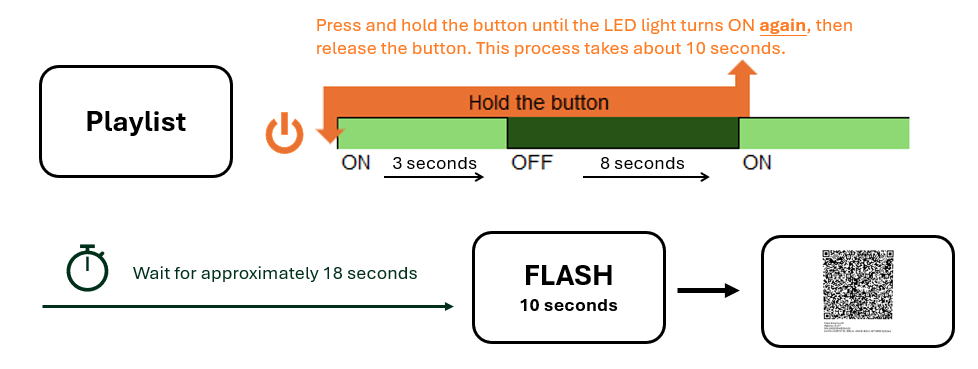
Restart the ePaper device and switch back to Wi-Fi setting mode with the QR code.
- Step 1: Hold down the power button until the LED goes off and then comes back on (about 10 seconds).
- Step 2: Let go of the button when the LED lights up.
- Step 3: Wait for around 18 seconds. The ePaper will blink for 10 seconds, then show a QR code for re-registration.
Was this article helpful?
That’s Great!
Thank you for your feedback
Sorry! We couldn't be helpful
Thank you for your feedback
Feedback sent
We appreciate your effort and will try to fix the article